Your iPhone is the only remote you need.
Control your Android TV, Roku, Samsung and LG straight from your pocket: D-pad, touchpad, volume and an app launcher in one fast, beautiful interface. With an Apple Watch app and Siri shortcuts.
One remote, all your screens
Everything you expect from a physical remote, and then some.
Four brands, one app
Android TV, Roku, Samsung and LG. Switch devices from the picker without reconfiguring a thing.
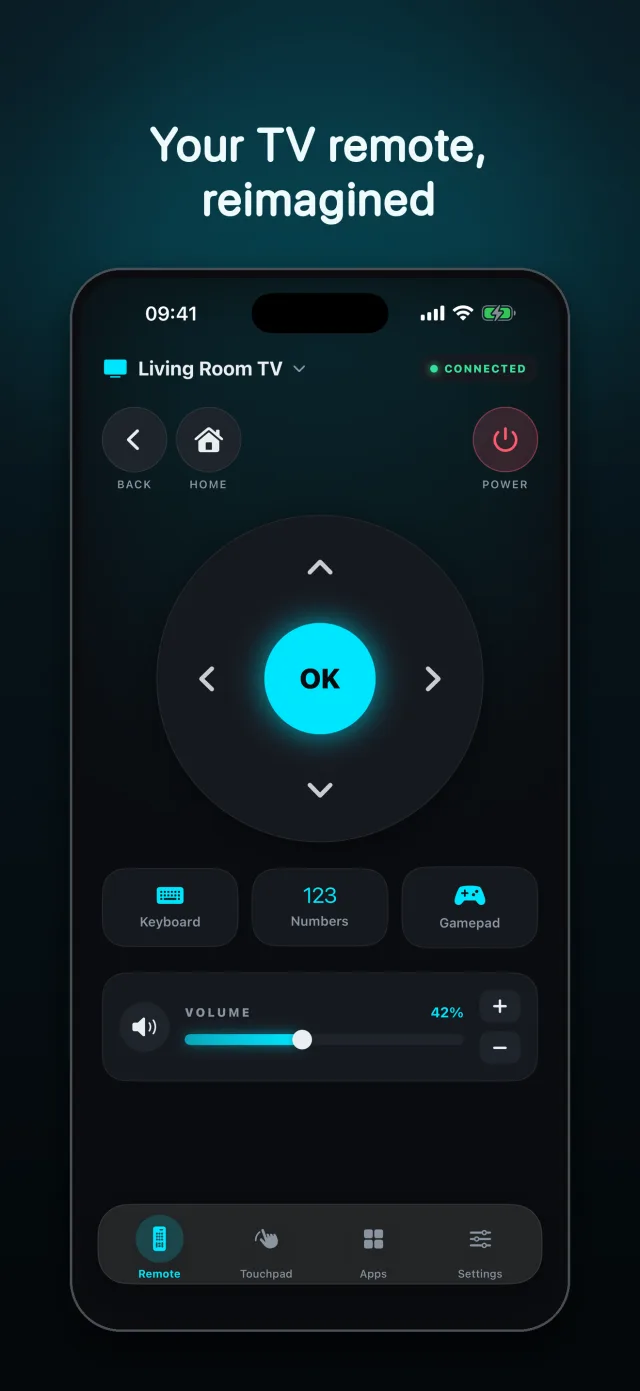
D-pad and OK button
Classic navigation with D-pad, OK, back, home and volume controls always within reach.
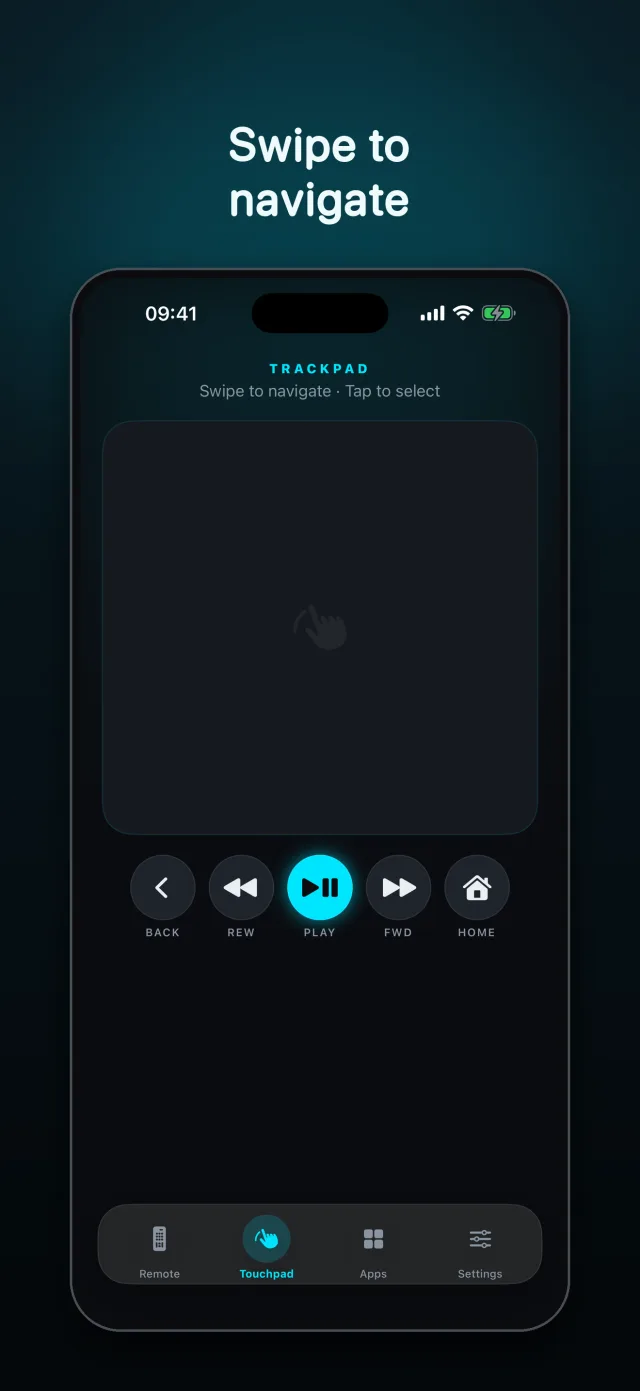
Gesture touchpad
Swipe and tap like a trackpad to glide through your TV's interface with precision.
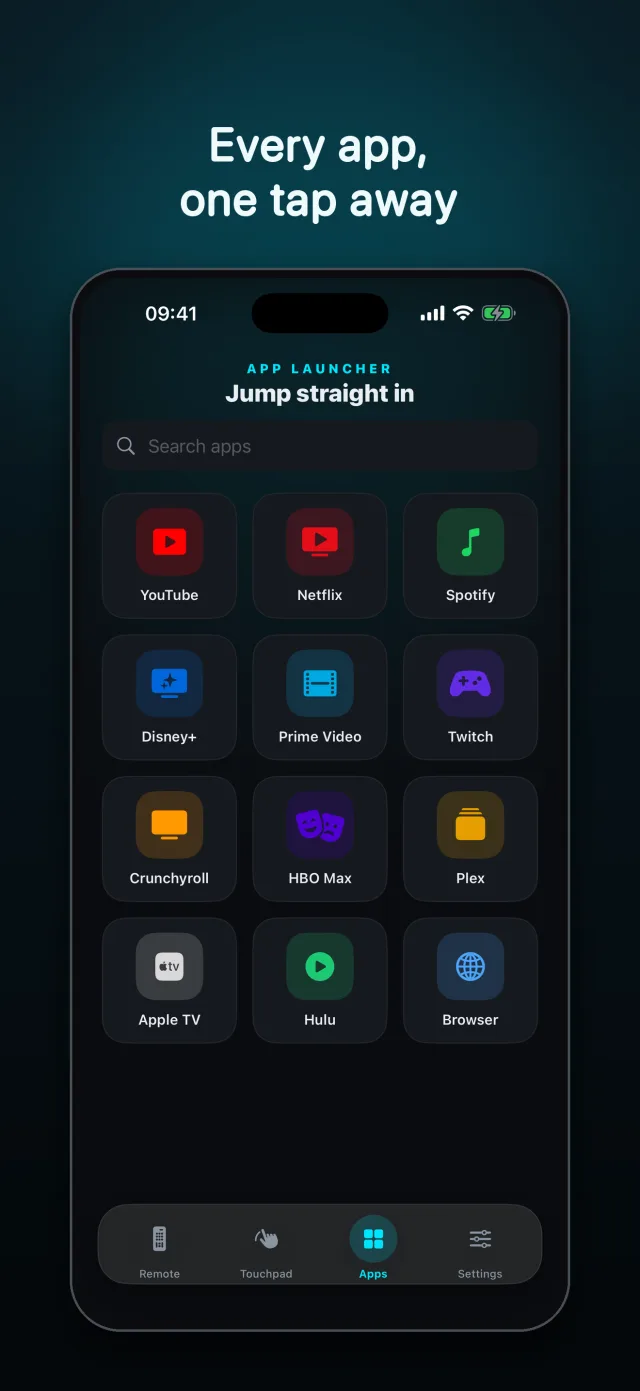
App launcher
Open Netflix, YouTube and the rest of your TV's apps right from your iPhone.
Keyboard, numbers and gamepad
Type without fighting the on-screen cursor and use keyboard, numeric and gamepad shortcuts.
Apple Watch and Siri
Control the TV from your wrist and build Siri shortcuts for your favorite actions.
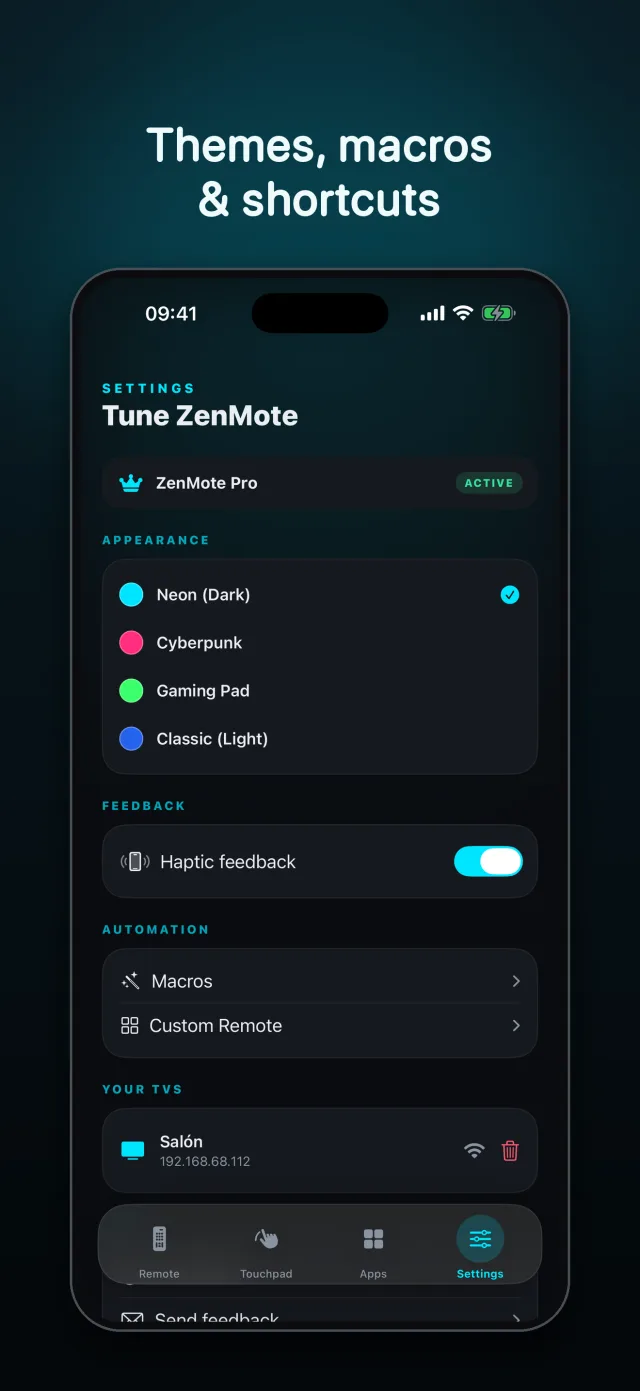
Macros and automation
With Pro: one-tap sequences that chain several actions, ready to wire into Siri.
Themes and a custom remote
With Pro: Neon, Cyberpunk, Gaming and Classic themes, plus a customizable remote with templates.
Built to look at and to use
An interface polished down to the last pixel.
Start free, go Pro whenever
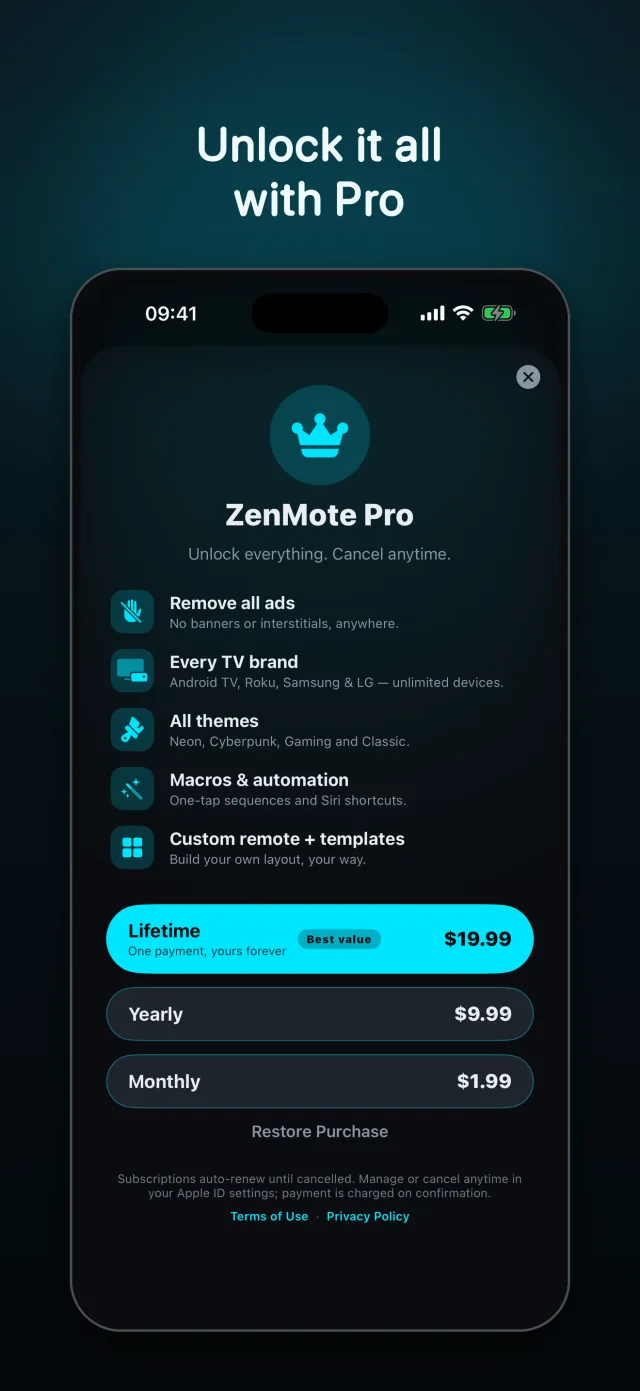
No strings attached. Pay once for life, or subscribe and cancel anytime.
Free
With ads
- Full remote with D-pad and touchpad
- Volume control and app launcher
- Apple Watch app
- One TV brand
ZenMote Pro
Everything in Free, plus:
- No ads
- All brands, unlimited devices
- All themes: Neon, Cyberpunk, Gaming, Classic
- Macros, automation and Siri shortcuts
- Customizable remote with templates
Includes a 3-day free trial on the annual plan. Subscriptions are managed by Apple. Cancel anytime.
Frequently asked questions
Which TVs are supported?
Android TV (and Google TV), Roku, Samsung TVs and LG TVs. Switch between them from the device picker in the app.
Do I need an account or an internet connection?
No account required. ZenMote controls your TV over your local Wi-Fi network — just keep your iPhone and TV on the same network.
How do I cancel ZenMote Pro?
Subscriptions are managed in your Apple ID: Settings › your name › Subscriptions. The lifetime plan is a one-time purchase, so there's nothing to cancel.
Stop hunting for the remote
Download ZenMote and run your living room from the iPhone you already carry.